- Click the Windows Start Button
- Type in Connect
- Click the Adobe Connect app that appears
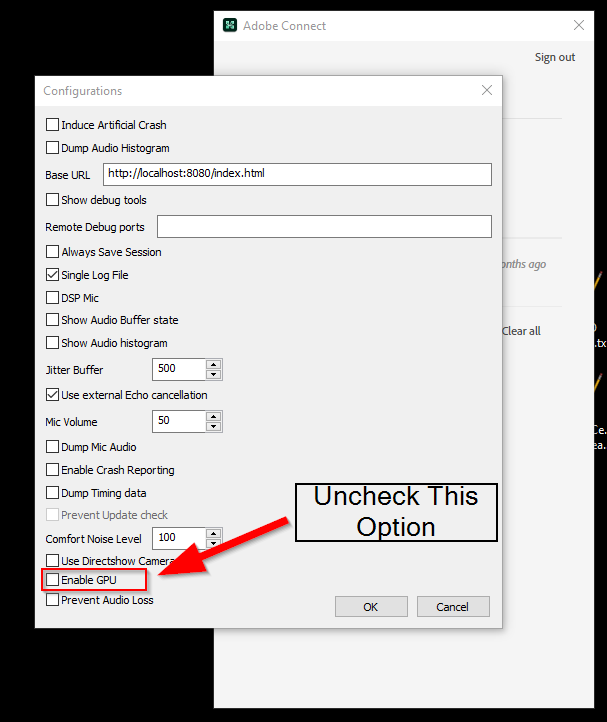
- Press <Ctrl> + <Shift> + Q to open the hidden menu items
- Look at setting for Enable GPU (towards to bottom)? If it is checked – uncheck it and click OK.
- Re-run the “Make Offline” MP4 function to see if your issue has been resolved.