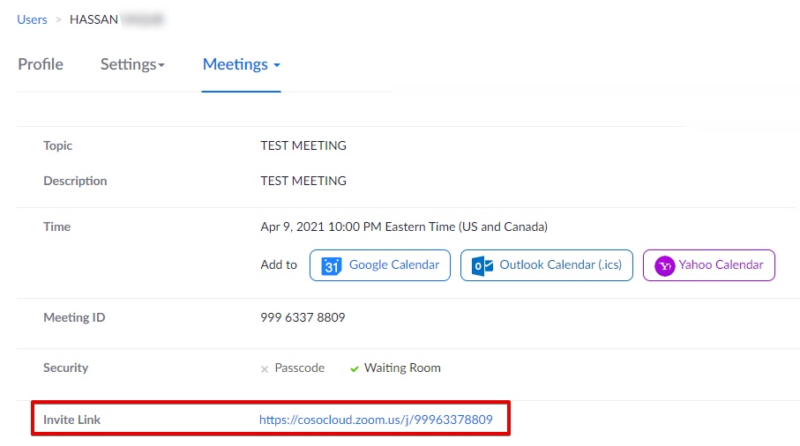
1) Create the meeting in the Canvas integration and note the Meeting ID:

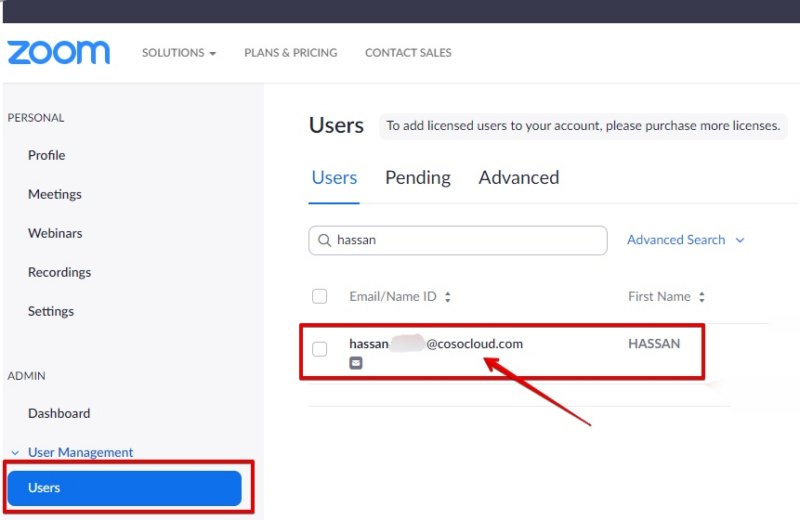
2) Log directly into Zoom with your Admin account. Click on Users (under User Management) and then search for the user that created the meeting
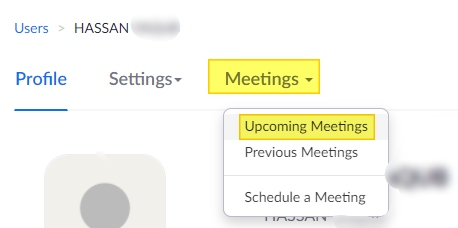
3) Select the Meetings tab, and in this particular case, because it’s a new meeting, select ‘Upcoming Meeting’. Choose ‘Previous Meetings’ if you have already previously created some.
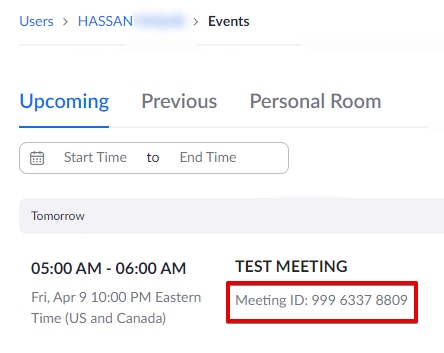
4) Make sure the Meeting ID matches the meeting ID of the meeting you created from within the integration, and then CLICK on the name of the meeting (test meeting in this example).
5) This will display the direct link to the meeting.