

LTI For Zoom – Recordings
Zoom supports 2 types of recordings: local and cloud.
Record the Meeting
Recordings are initiated in Zoom itself:
- Join the meeting.
- Click the option to record.
- If there is a menu prompt, select the required option: Record on this Computer or Record to the Cloud. Otherwise, ignore this step.
- When the recording is done, click on the Stop Recording button.
View Recordings
Navigate back to the Zoom application on the Canvas page and click on the Recordings link.
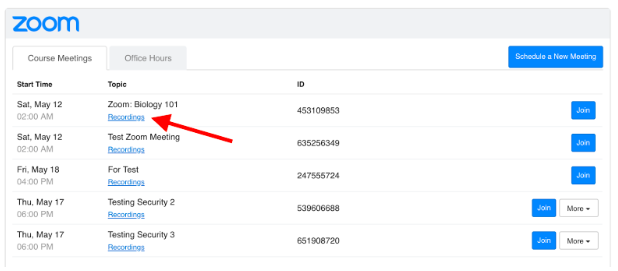
Open the Recordings page and see the latest list of recordings for this meeting.