
Question: If I change a Teachers role to Participant in the Adobe Connect Course Meeting, does the LTI User Sync revert them back to a Meeting Host?
Answer: No, the User Sync leaves the Connect Role as it is.
You can set Adobe Connect roles separately in each course meeting. By default, Teachers are Mapped as Hosts:

Their role can be changed by clicking their name and then clicking Set User Role. Select the role you wish them to be (in this case, Participant), and they’ll be set to that in the Connect room.

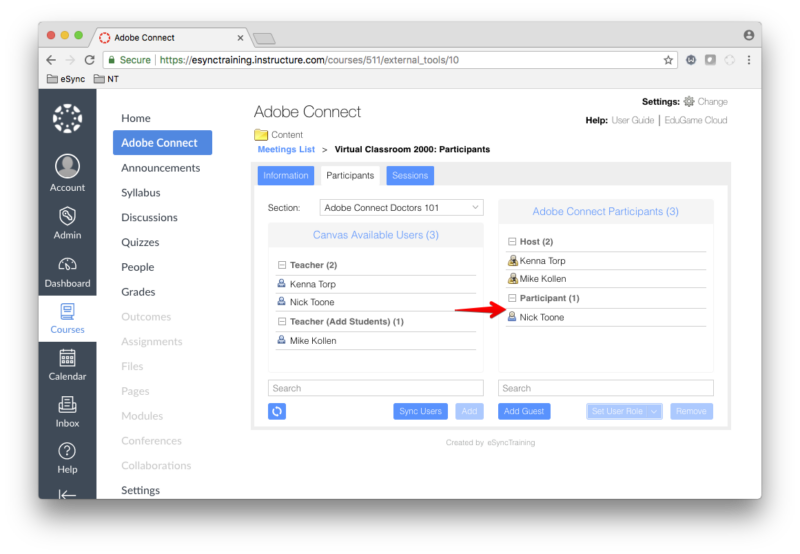
The new role does not change unless you change them back yourself. The Auto Sync and the manual sync do not affect the updated role; the Teacher will always be seen as a Participant in the specific Course Meeting.
Note that this role change only affects the specific Course Meeting. Their roles in other Course Meetings, and Courses in general, will not be affected.